Skip to content
VerifyLocalMaps Rescue Services

Get on Google Maps · Get verified · Get back on the map

Is Your Business Missing from Google Maps? We Can Help.

Whether you’re setting up a new Google Business Profile or dealing with a suspended or disabled listing, VerifyLocal provides step-by-step remote guidance to help you navigate the verification and recovery process.

We work with businesses that serve customers at a physical location and service-area businesses that travel to their customers.

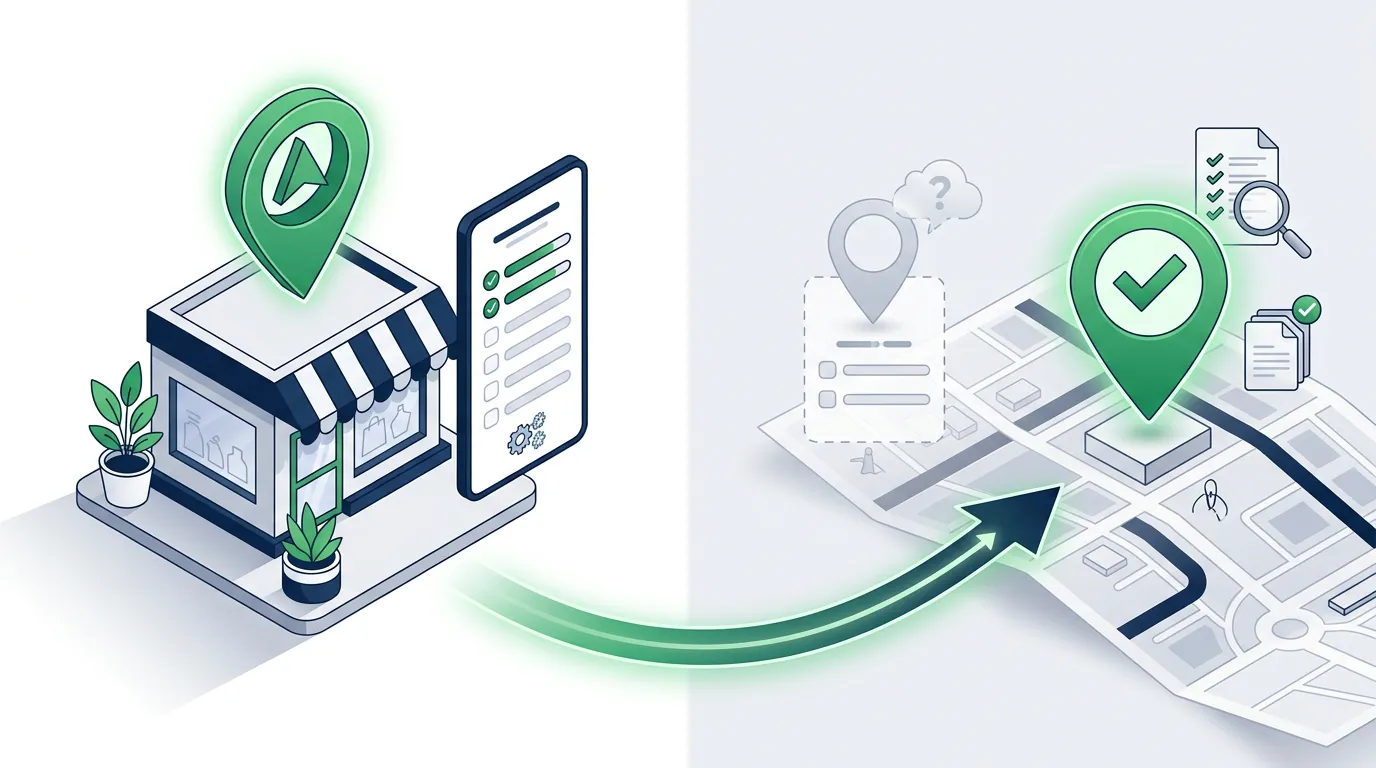
Illustration: on the left, a storefront with a green map pin and a new listing checklist being completed; on the right, a faded, suspended map listing being restored to a verified green pin through a documented review process.
Storefront & service-area businessesPolicy-focused, honest guidanceYou submit through Google’s official channels

Our services

Two focused services. One clear goal: a profile that’s on the map.

Whether you’re creating a listing for the first time or recovering one that was suspended or disabled, each service has a defined scope and a fixed price.

New listing

The VerifyLocal Fresh Setup & Onboarding

$399One-time fee

Starting a new business or creating your first Google Business Profile? We help you prepare your business information, understand Google’s requirements, and navigate the setup and verification process with confidence.

What’s included

  • Business information and eligibility review
  • Business Profile data-compliance audit
  • Primary and secondary category selection guidance
  • Business information consistency checks
  • Step-by-step profile setup assistance
  • One-on-one video verification coaching
  • Guidance on what to capture in your verification video, based on Google’s applicable requirements
  • Remote support throughout the agreed onboarding process

Verification decisions and timelines are controlled by Google. We guide you through each step, but completion of verification cannot be guaranteed.

Suspended or disabled profile

The Maps Rescue: Reinstatement Services

$699One-time fee

Optional: $399 upfront + $300 upon successful reinstatement, subject to agreed payment terms.

Has your Google Business Profile been suspended or disabled? We help you investigate potential issues, understand applicable guidelines, organize supporting evidence, and navigate the reinstatement appeal process.

What’s included

  • Forensic-style suspension and profile audit
  • Review of potential guideline violations and business information inconsistencies
  • Guidance on correcting profile issues
  • Preparation and organization of a supporting documentation dossier
  • Assistance drafting and organizing reinstatement appeal materials
  • Guidance through the official Google appeal process
  • Remote follow-up guidance based on available case information

VerifyLocal is an independent assistance service. Google makes all suspension and reinstatement decisions. We do not have privileged access to Google’s internal systems or support channels, and reinstatement is not guaranteed.

Remote video verification coaching

Not Sure What to Record? We’ll Guide You Step by Step.

Some businesses may be asked to submit a verification video or other evidence. VerifyLocal provides remote coaching on what to capture, according to the verification method and instructions Google presents to your business.

You stay in control. You record your own video and submit it through Google’s official verification flow. We coach — you capture and submit.

Genuine evidence only. We never suggest staging or fabricating evidence, and we’ll help you avoid recording sensitive information that isn’t needed.

Possible examples, when applicable to Google’s current instructions

  1. 01

    Signage and identifying details

    Permanent signage, business name on a vehicle, or other details that connect the business to its stated location or operations.

  2. 02

    Tools, equipment, or inventory

    The equipment, stock, or work tools that are genuinely relevant to the services you provide.

  3. 03

    Access to the premises

    Showing that you can access the business location — for example unlocking a door or entering a staff-only area.

  4. 04

    Other genuine evidence

    Other real evidence of business operations or authorization, when it is applicable to the instructions Google gives you.

Requirements vary by business and verification method. We tailor our coaching to the instructions shown in your own account.

Who we help

Support for Storefronts and Service-Area Businesses

Eligibility, address display, and verification requirements depend on Google’s current policies. Not every business qualifies for a profile — so we start by reviewing yours.

Card A

Physical Location

For eligible businesses that receive customers at their business location.

  • Storefronts, offices, clinics, salons, and studios with staffed hours
  • Guidance on address accuracy, signage, and opening hours
  • Verification preparation that reflects your real premises
Card B

Service-Area Business

For eligible businesses that travel to customers, work at client locations, or operate without receiving customers at their registered address.

  • Plumbers, cleaners, mobile mechanics, contractors, and similar trades
  • Guidance on service areas and hiding a non-public address
  • Verification preparation focused on tools, vehicles, and operations

How it works

A clear, four-step process

From the first conversation to your official submission, you always know what happens next.

  1. 1

    Tell Us About Your Business

    Explain your listing or verification issue.

  2. 2

    Get a Profile Assessment

    We review your situation and recommend the appropriate service.

  3. 3

    Follow Our Remote Guidance

    Receive practical, step-by-step assistance.

  4. 4

    Complete the Official Process

    Submit information and verification materials through Google’s official channels.

For recovery clients: reinstating a suspended or disabled profile may require additional evidence, corrections to your business information, or a formal appeal. We’ll explain which of these apply to your case as it develops.

Pricing

Simple, transparent, one-time fees

No subscriptions, no hidden extras. Scope and terms are confirmed with you before any work begins.

The VerifyLocal Fresh Setup & Onboarding

$399One-time fee

New listing setup, compliance review, category guidance, and video verification coaching.

  • Eligibility & compliance review
  • Category selection guidance
  • Step-by-step setup assistance
  • One-on-one video verification coaching

The Maps Rescue: Reinstatement Services

$699One-time fee

Suspension audit, guideline corrections, documentation preparation, and appeal guidance.

  • Forensic-style suspension audit
  • Guideline correction guidance
  • Supporting documentation dossier
  • Appeal drafting & process guidance

Optional payment plan

$399 upfront + $300 upon successful reinstatement, with written terms agreed in advance.

Fees cover VerifyLocal’s guidance and assistance. Google does not charge for a Business Profile, and no fee can guarantee a verification or reinstatement outcome.

Our commitments

Professional Guidance. Clear Steps. No Guesswork.

  • Personalized remote assistance

    One-on-one guidance based on your business, not a generic checklist.

  • Transparent service scope and pricing

    Two clearly defined services with fixed prices agreed before work begins.

  • Practical, policy-focused recommendations

    Advice grounded in Google’s published guidelines for business representation.

  • Client-controlled account access and submissions

    You keep ownership of your accounts and submit everything yourself.

  • No fabricated documents or verification evidence

    We only work with genuine information and real evidence about your business.

  • No guaranteed Google approval or reinstatement

    Outcomes are decided by Google. We’re upfront about that from day one.

FAQ

Frequently asked questions

Google’s requirements vary by business and by case. If your question isn’t answered here, send us a message.

Ask a question
Can you help if my business does not have a customer-facing storefront?

Yes. Many eligible businesses operate as service-area businesses — they travel to customers or work at client locations instead of receiving customers at their address. We help you understand how Google’s current policies apply to that setup, including how service areas and address display work. Not every business type qualifies for a profile, so eligibility is one of the first things we review.

Do I need to visit your office?

No. VerifyLocal works entirely remotely. Guidance is delivered through video calls, screen-sharing where appropriate, and written instructions, so you can work with us from your own business location.

Can you guide me on what to record for video verification?

Yes. If Google asks you to submit a verification video, we coach you on what to capture based on the method and instructions Google shows you — for example signage, tools or equipment, and evidence of access to the premises. You record the video yourself and submit it through Google’s official verification flow. We never suggest staging or fabricating evidence.

What happens if my profile is suspended?

With Maps Rescue, we start with an audit of your profile and the information available about the suspension, review potential guideline issues or inconsistencies, and guide you through correcting them. We then help you organize supporting documentation and prepare appeal materials, which you submit through Google’s official appeal process.

Is reinstatement guaranteed?

No. Google makes all suspension and reinstatement decisions, and VerifyLocal has no privileged access to Google’s internal systems or support teams. Our role is to help you understand the likely issues and present an accurate, well-organized case.

How long does verification or reinstatement take?

It varies. Timelines depend on your business, the verification method Google presents, the details of your case, and Google’s own review times — which can range widely. We won’t quote guaranteed timelines, but we will explain what typically happens next at each stage.

What information should I prepare before contacting you?

Your business name, address or service area, phone number, website (if any), and the category you believe fits best. For suspended profiles, a description of what happened and any messages you received from Google are helpful. Please don’t send passwords, one-time verification codes, or sensitive identity documents through the contact form — we’ll explain securely and specifically what is needed, if anything, once we understand your case.

How does the optional success-based payment plan work?

For Maps Rescue, you can choose to pay $399 upfront and the remaining $300 only if your profile is reinstated. The exact terms — including what counts as successful reinstatement and when payment is due — are agreed in writing before work begins. The standard option is a single $699 one-time fee.

Contact

Ready to Get Your Business on the Map?

Tell us whether you need help setting up a new listing or resolving an existing profile issue. We’ll help you understand the next steps.

Tell us about your business

All fields are required unless marked optional.

Contact details

0/2000 characters

Please don’t include passwords, one-time verification codes, or identity documents. We never need them through this form, and you keep control of your Google account at all times.